
Building a gaming PC has become an exhilarating journey for tech enthusiasts and gamers alike. With the rapid advancements in technology, assembling a custom gaming rig allows users to tailor their experience according to their specific needs and preferences. Whether you’re a casual gamer or a competitive esports player, understanding how to construct your own gaming PC is essential for optimizing performance and maximizing enjoyment.
Understanding Your Needs
Before diving into the components of a gaming PC, it’s crucial to assess your gaming needs. Are you looking to play the latest AAA titles at ultra settings, or are you more interested in casual gaming? Knowing your requirements will guide your hardware choices. For instance, a high refresh rate monitor paired with a powerful GPU is essential for competitive gaming.
Another aspect to consider is the type of games you play. If you enjoy graphically intensive titles like Cyberpunk 2077 or Call of Duty, investing in a higher-end graphics card and CPU will be worth it. Conversely, if you prefer indie games or less demanding titles, a mid-range build might suffice.
Selecting the Right Components
When it comes to building a gaming PC, selecting the right components is vital. The primary components include the CPU, GPU, motherboard, RAM, storage, and power supply. Each of these plays a significant role in the overall performance of your system.
The CPU (Central Processing Unit) is often referred to as the brain of the computer. For gaming, a CPU with multiple cores and high clock speeds is preferred. Popular choices include AMD Ryzen and Intel Core series processors. On the other hand, the GPU (Graphics Processing Unit) is crucial for rendering graphics. The latest NVIDIA and AMD graphics cards offer excellent performance for gaming at high resolutions and frame rates.
Additionally, RAM (Random Access Memory) plays a significant role in multitasking and game performance. A minimum of 16GB is recommended for modern gaming, though 32GB may be necessary for future-proofing and more demanding applications.
Building the PC: Step-by-Step
Once you have gathered all your components, it’s time to start building your gaming PC. Begin by preparing your workspace and ensuring that you have the necessary tools, such as a screwdriver and anti-static wrist strap.
First, install the CPU onto the motherboard according to the manufacturer’s instructions. Next, insert the RAM sticks into the appropriate slots, ensuring they click into place. After that, install the motherboard into the case, followed by the power supply. This is where you can also integrate storage drives, whether they are HDDs or SSDs for faster load times.
Finally, install the GPU into the designated PCIe slot on the motherboard. Ensure all components are securely connected, and then power up your system to install the operating system and drivers.
Optimizing Performance and Cooling
After successfully building your gaming PC, the next step is optimization. Start by installing the latest drivers for your GPU and other components, as they can significantly enhance performance. Additionally, consider overclocking your CPU and GPU for increased performance, but be cautious as it can lead to overheating if not monitored properly.
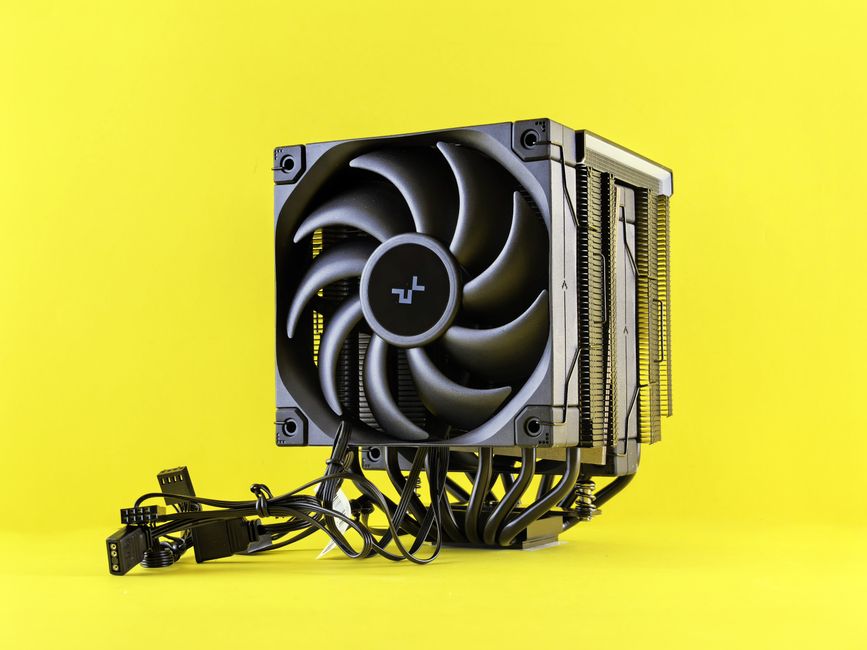
Cooling is another critical factor in maintaining performance. Effective cooling solutions include air coolers, liquid cooling systems, and ensuring proper airflow within the case. A well-cooled system not only performs better but also extends the lifespan of your components.
Maintaining Your Gaming PC
Finally, maintaining your gaming PC is essential for long-term performance. Regularly clean dust from the components, especially fans and filters, to prevent overheating. Additionally, keep your operating system and drivers updated to ensure compatibility with new games and software.
Lastly, consider using tools to monitor your system’s performance and temperatures. This will help you identify any potential issues before they become serious problems. If you feel overwhelmed, many online resources and communities can provide support and guidance, including sites dedicated to the gaming PC builder community.
Conclusion
Building a gaming PC can be a rewarding experience that enhances your gaming journey. By understanding your needs, selecting the right components, and maintaining your system, you can create a powerful rig that meets your expectations. Whether you’re playing the latest titles or diving into indie gems, a well-built gaming PC will undoubtedly elevate your gaming experience to new heights.